Features · GHOSTSHELL 0.2.0
Everything Tabby does, and a layer above it.
GhostLine for cmd.exe, every shell on the machine, 61 NEON GRID theme packs and GhostFX, a session manager that imports from SecureCRT, MobaXterm, PuTTY, WinSCP and Windows Terminal without the passwords, and a network toolkit along the bottom of the window. The demos on this page run the app's own code.
01 GhostLine
The ghost is the part you haven't typed yet.
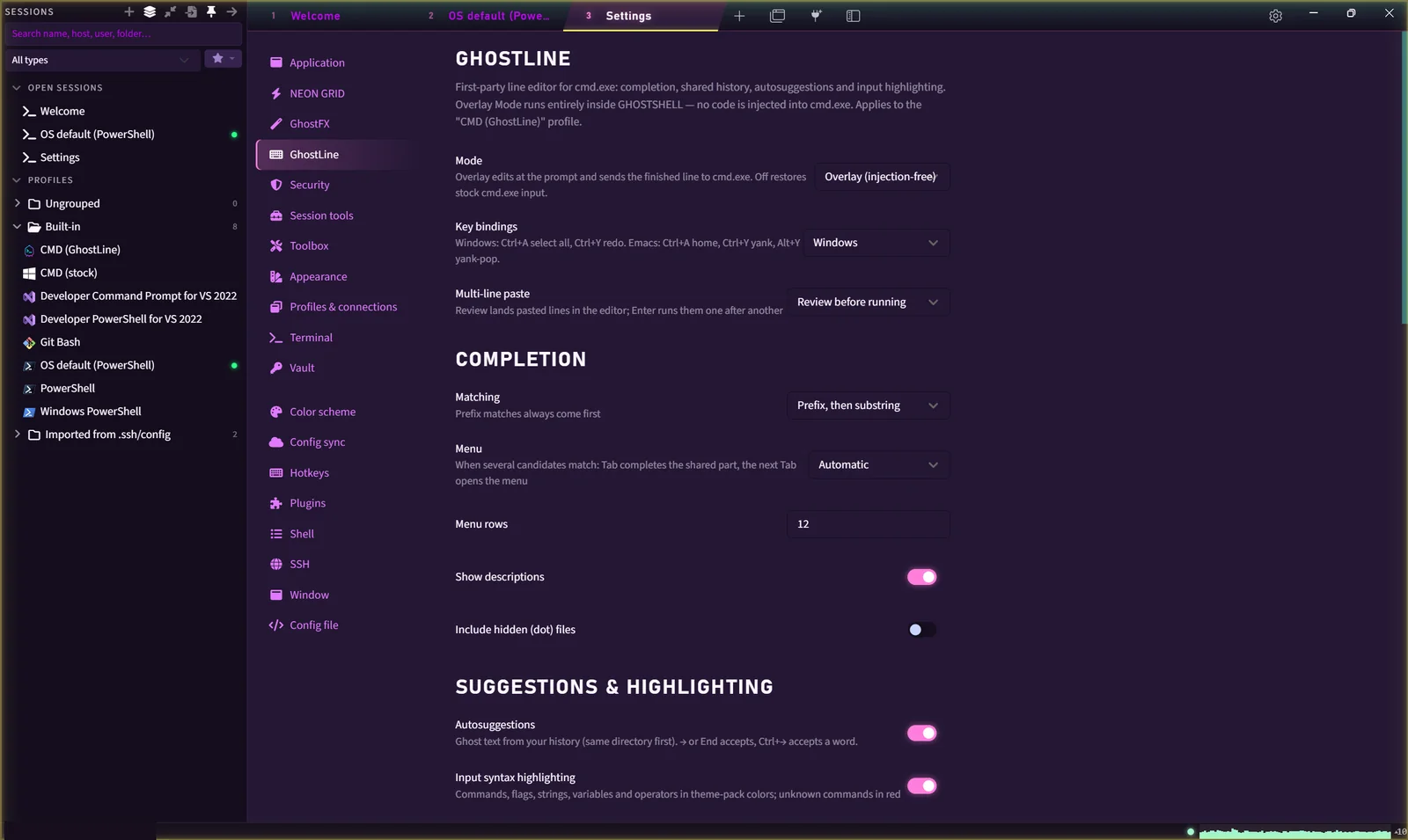
GhostLine is a first-party line editor for cmd.exe. It runs as an overlay inside GHOSTSHELL: it edits the line at the prompt, then hands cmd.exe the finished line. Nothing is injected into cmd.exe. Tab completes from grammars for the tools you actually run, your history comes back as ghost text, and the input is highlighted as you type, with unknown commands in red.
Try it: type git ch and press Tab twice. → accepts the grey suggestion, ↑ recalls history and Ctrl+R searches it. Esc closes the menu or clears the line; Esc then Tab leaves the terminal.
- Tab
- Completes the shared part · Tab again opens the menu, with descriptions
- → / End
- Accepts the ghost text · Ctrl+→ accepts one word
- Ctrl+R
- Searches history shared across a window's tabs, kept between sessions, optionally encrypted by GhostVault
- Grammars
- git · npm · pnpm · yarn · docker · kubectl · winget · dotnet · cargo · pip · gh · wsl · ssh · scp · sftp · code · python
- Live data
- git branches and tags, npm scripts, SSH hosts from your profiles
- Editing
- Readline kill and yank, undo and redo, word motions · Windows or Emacs key bindings · doskey-style aliases
- Paste
- Multi-line paste lands in the editor for review before anything runs
02 Shells
Every shell on this machine, found and ranked.
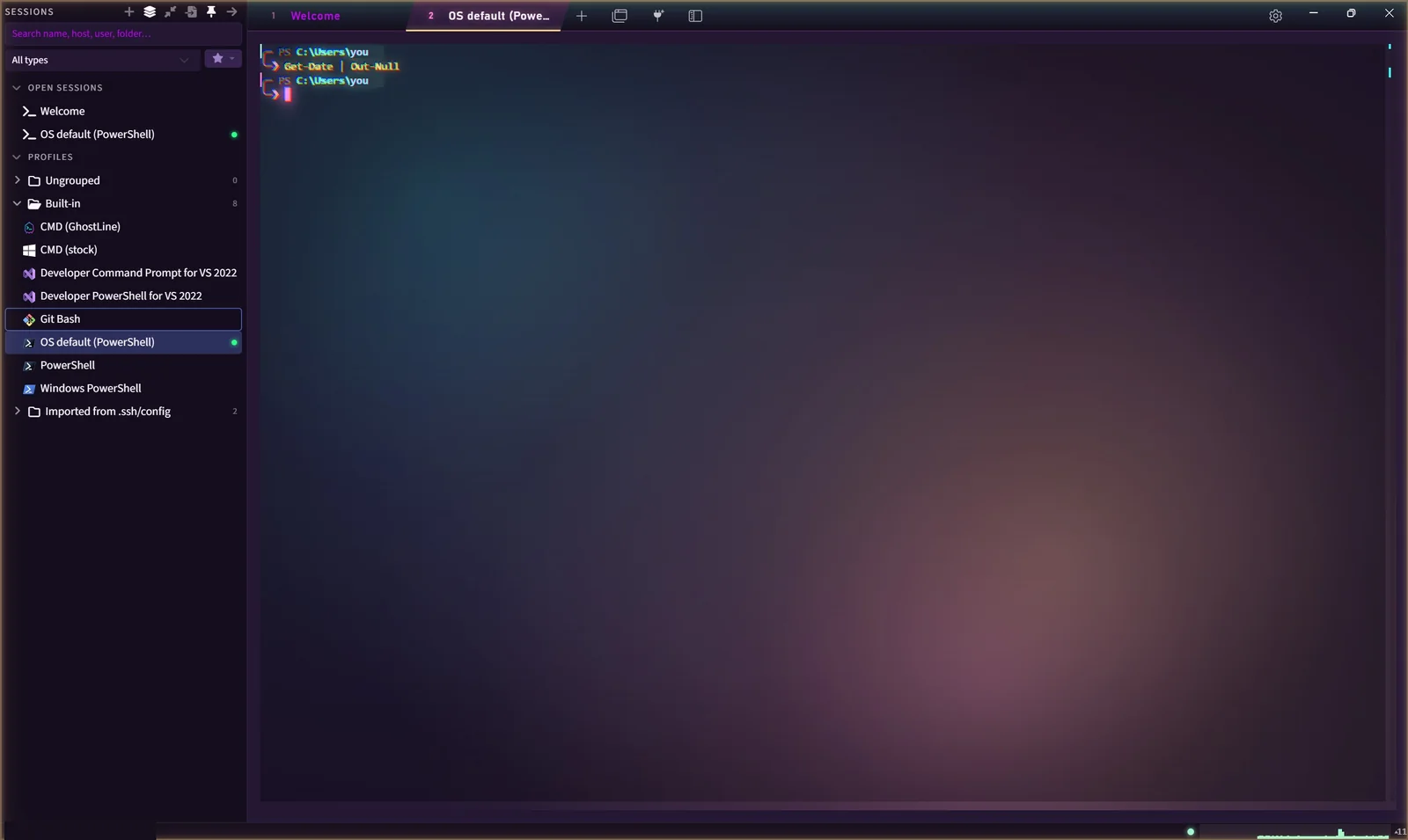
GHOSTSHELL lists the shells already installed, the way Windows Terminal does. Every PowerShell 7 install counts, ranked so that “PowerShell” is always the newest stable one and the default for new tabs.
- PowerShell 7every install: Program Files, Store, scoop, dotnet tool, previews · the default
- Windows PowerShell 5.1
- CMDstock, or with GhostLine
- Git Bash · MSYS2 · Cygwin · Cmder
- Visual StudioDeveloper Command Prompt and Developer PowerShell, every edition
- WSLevery installed distribution, read from the registry (Docker's and Rancher's own are left out)
- Nushell · Elvish · Xonsh
$PROFILE stays yours.
In PowerShell, PSReadLine stays in charge of editing. GHOSTSHELL adds command marks with exit codes, the neon prompt (unless you have your own) and Tab completion from GhostLine's grammars. It loads after your profile and never writes to it, and it never replaces a completer you already have, such as posh-git.
- Marks
- Exit codes as coloured ticks · Alt+Shift+↑ / ↓ jumps between commands
- Effects
- A failed command glitches the pane; one that ran 30 s or longer pulses when it ends
- Policy
- Loaded with
-NoExit -Commandafter$PROFILE; your execution policy still applies - Check it
Get-FileHash $PROFILE, before and after
03 NEON GRID
Sixty-one packs. One neon edge that never fades to grey.
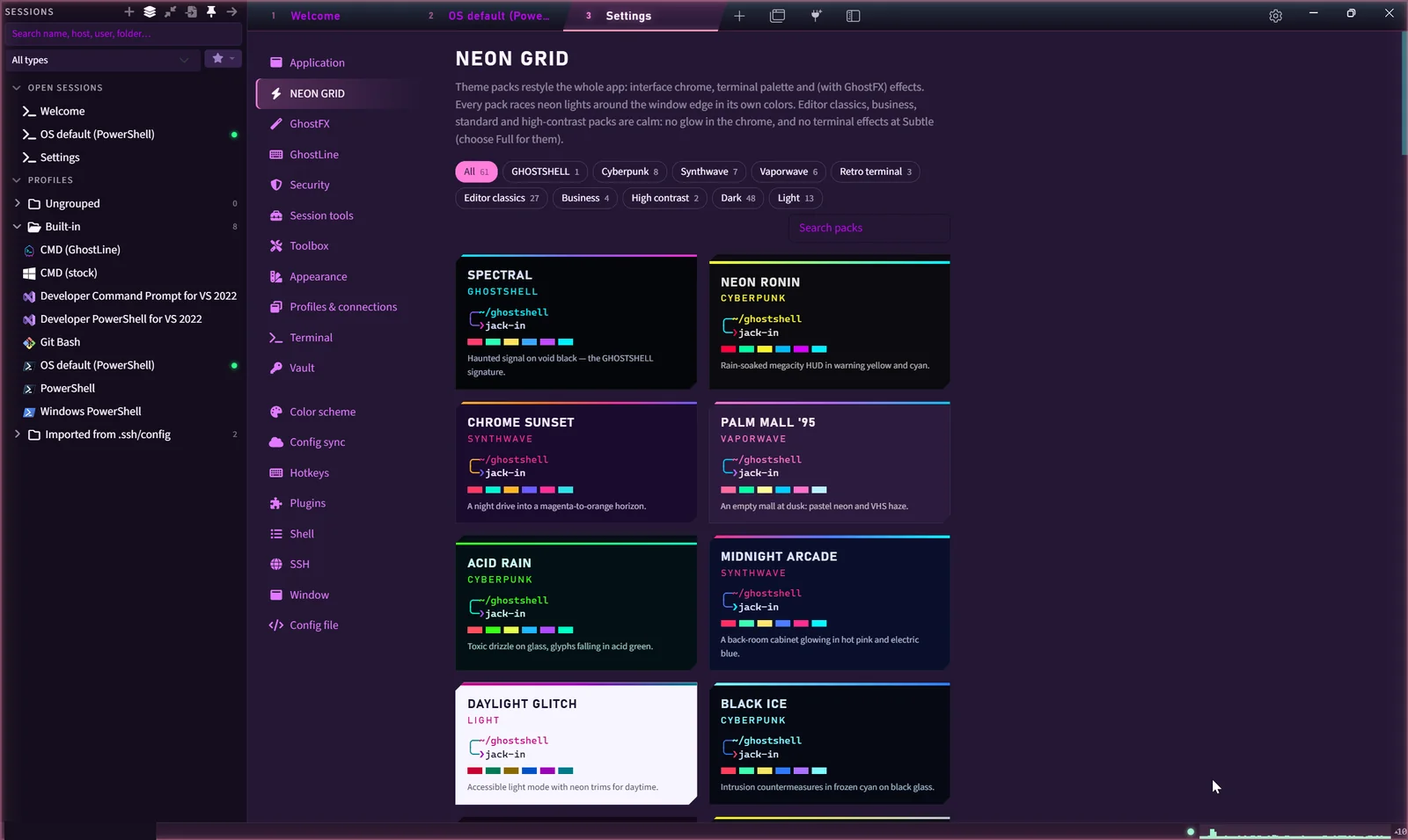
A pack restyles the whole app at once: window frame, tabs, controls, terminal palette and effects. Every pack outlines the window with a solid neon line that drifts through its own accents along the OKLCH hue wheel, lightened to at least 4.5:1 on dark backgrounds. The line round this site is the same code. Pick a pack and every page wears it.
Spectral, the signature: #00F0FF #8B5CF6 #FF2BD6 on #05060A
- Packs
- Spectral · 8 cyberpunk · 7 synthwave · 6 vaporwave · amber, green and ice phosphor · editor classics from Dracula to Rosé Pine · business · high contrast · Daylight Glitch, neon for light mode · Default Dark and Light
- Intensity
- Focus, zero motion · Subtle · Full · Overdrive. The switch in this site's bar is the same four.
- Edge
- One cycle every 36 s at Subtle, 24 s at Full, 14 s at Overdrive (48 s at any level for calm packs); steady at Focus; dimmed and paused when the window loses focus
- Calm packs
- Editor, business, standard and high contrast: no chrome glow, no terminal effects at Subtle
04 GhostFX
Post-processing that reads exit codes.
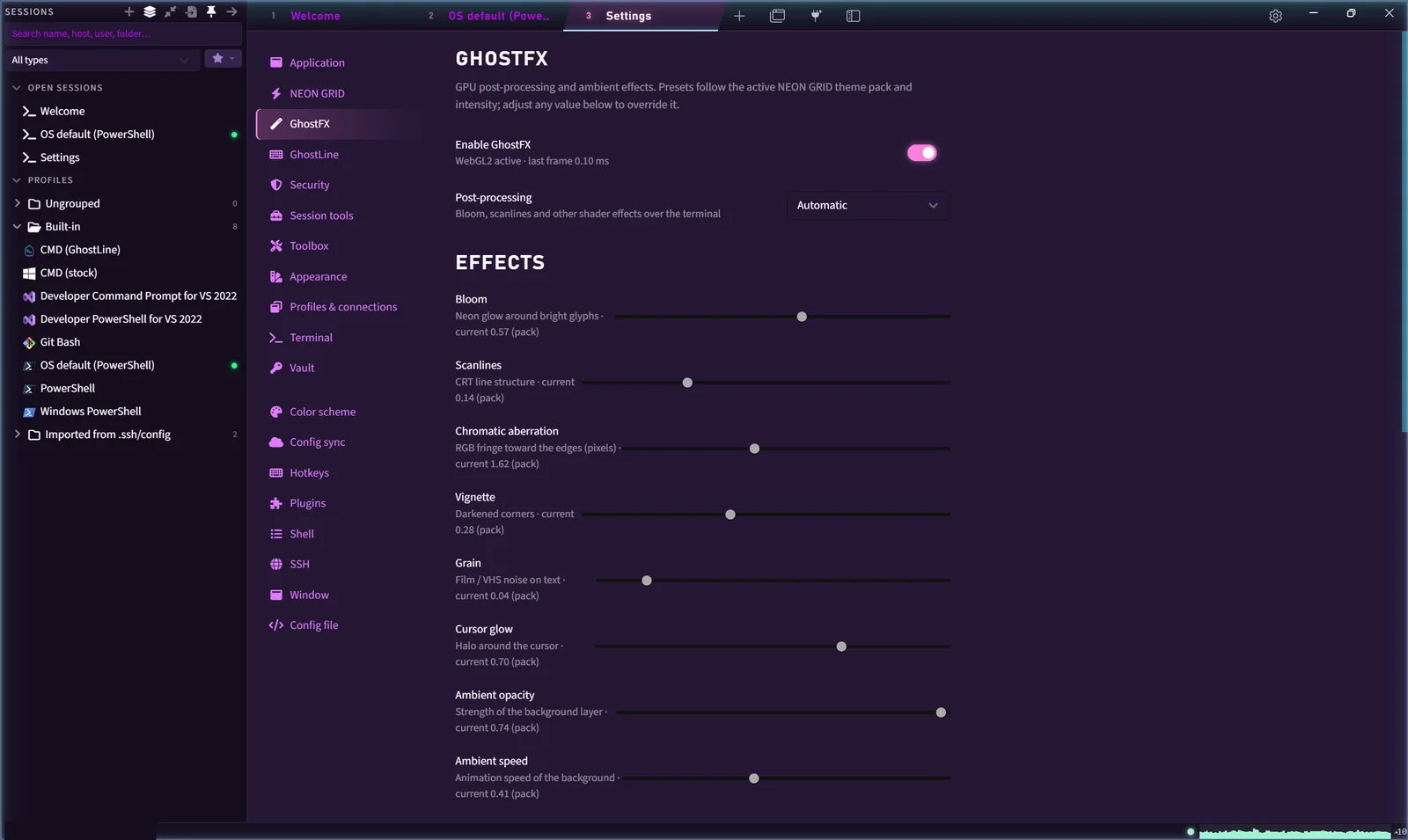
GhostFX runs bloom, scanlines, chromatic aberration, vignette, grain and a cursor glow in one shared WebGL2 pipeline over the terminal, with an ambient scene behind the text. It reacts to the shell: a glitch when a command fails (in shells that report exit codes, such as PowerShell; cmd.exe doesn't), a pulse when a command that ran 30 seconds or longer finishes. The sliders below drive this page's own pipeline, with the app's names and ranges.
PS C:\src\ghostshell> git status
On branch main
nothing to commit, working tree clean
PS C:\src\ghostshell> _
GhostFX's own renderer · postfx.renderer.ts
- Spectral, Full
- bloom 0.42 · threshold 0.45 · scanlines 0.10 · chromatic aberration 1.2 px · vignette 0.28 · grain 0.03 · cursor glow 0.70
- Scaling
- Bloom, scanlines, chromatic aberration and grain: Subtle × 0.6 · Full × 1 · Overdrive × 1.35. Vignette × 0.8 and cursor glow × 0.85 at Subtle, unchanged above. Focus = off
- Ambient
- spectral mist · synthwave grid horizon · vaporwave checker floor · starfield · glyph rain · neon skyline
- Limits
- Pulses at most 2 Hz, glitches at most one every 2 s; everything stops at Focus or with reduced motion; paused when hidden or on battery
05 Connections
SSH, serial, Telnet, RDP, VNC and containers from one sidebar.
SSH offers the hybrid ML-KEM-768 + X25519 key exchange first and keeps classical algorithms for older equipment. Telnet and raw sockets connect after a warning, because they carry everything as plain text, passwords included. RDP opens Windows' own Remote Desktop client with a generated .rdp file, and VNC runs in an embedded viewer, marked unencrypted. What protects each one.
- SSH
- Four post-quantum hybrids first,
mlkem768x25519-sha256leading, thencurve25519-sha256· the negotiated key exchange shown in every tab · ML-DSA-44 + Ed25519 host and user keys ·aes256-gcm@openssh.comfirst · strict KEX against Terrapin (CVE-2023-48795) · SHA-1, CBC and 128/192-bit ciphers off by default · jump hosts, port forwarding and SFTP from Tabby - Policies
- Quantum-safe only · Quantum-safe preferred (default) · Compatible · Legacy
- Telnet, raw
- Plain text, passwords included; warned on connect
- Serial
- Console cables over COM ports
- RDP
- Remote Desktop Connection with a generated .rdp: gateway, admin, multi-monitor, clipboard, drives
- VNC
- Embedded viewer · RFB 3.3 / 3.7 / 3.8 · Raw, CopyRect, RRE, Hextile · unencrypted, and labeled that way
- Containers
- Docker and Podman containers, Kubernetes pods when enabled: shell and logs
- X11
- Finds VcXsrv, Xming or X410, starts it and points SSH X11 forwarding at it
- HUD
- Under SSH terminals: CPU, memory, swap, load, disk, network rates, uptime, users and the busiest process, read over a separate exec channel · parsers tested on recorded output, not yet against live servers
06 Session manager
Bring your sessions. Leave the passwords behind.
The sidebar holds a session tree: folders, search with highlighted matches, drag and drop, and a red or amber strip on production and staging hosts. Right-click a folder to connect to all of it as tabs, as a tiled grid, or one after another. New connection works the same way wherever you start it, and a quick connect can be saved straight from the sidebar.
- Imported from SecureCRT
- Production
- app-01 deploy@192.0.2.10, production
- core-sw-01 netops@192.0.2.2, production
- Staging
- app-stg-01 deploy@192.0.2.11, staging
- Production
- Import
- SecureCRT (session folders, XML export) · MobaXterm (.mxtsessions) · PuTTY and WinSCP (registry or WinSCP.ini) · Windows Terminal · CSV
- Passwords
- Never imported. Duplicates and skip reasons are shown before anything is written.
- New connection
- SSH, RDP, VNC, Telnet, raw socket or serial → Save, or Save and connect · RDP quick connect takes
DOMAIN\user@host:port - Production
- Hosts that look like production wear a slow red danger frame
| Source | Session | Password | Result |
|---|---|---|---|
| SecureCRT | app-01 SSH · deploy@192.0.2.10:22 | not imported | imported |
| SecureCRT | core-sw-01 SSH · netops@192.0.2.2:22 | not imported | imported |
| SecureCRT | app-stg-01 SSH · deploy@192.0.2.11:22 | not imported | imported |
| SecureCRT | term-srv | not imported | skipped: RLogin sessions are not supported |
| WinSCP | App server SSH · deploy@192.0.2.10:22 | not imported | already saved, unselected |
| WinSCP | files-01 | not imported | skipped: FTP sessions are not supported |
A duplicate has the same type, host, port and user as a saved session, whatever its name, and starts unselected. WinSCP's SFTP and SCP sites come in as SSH sessions.
07 Network toolkit
One probe a second. One graph for all of them.
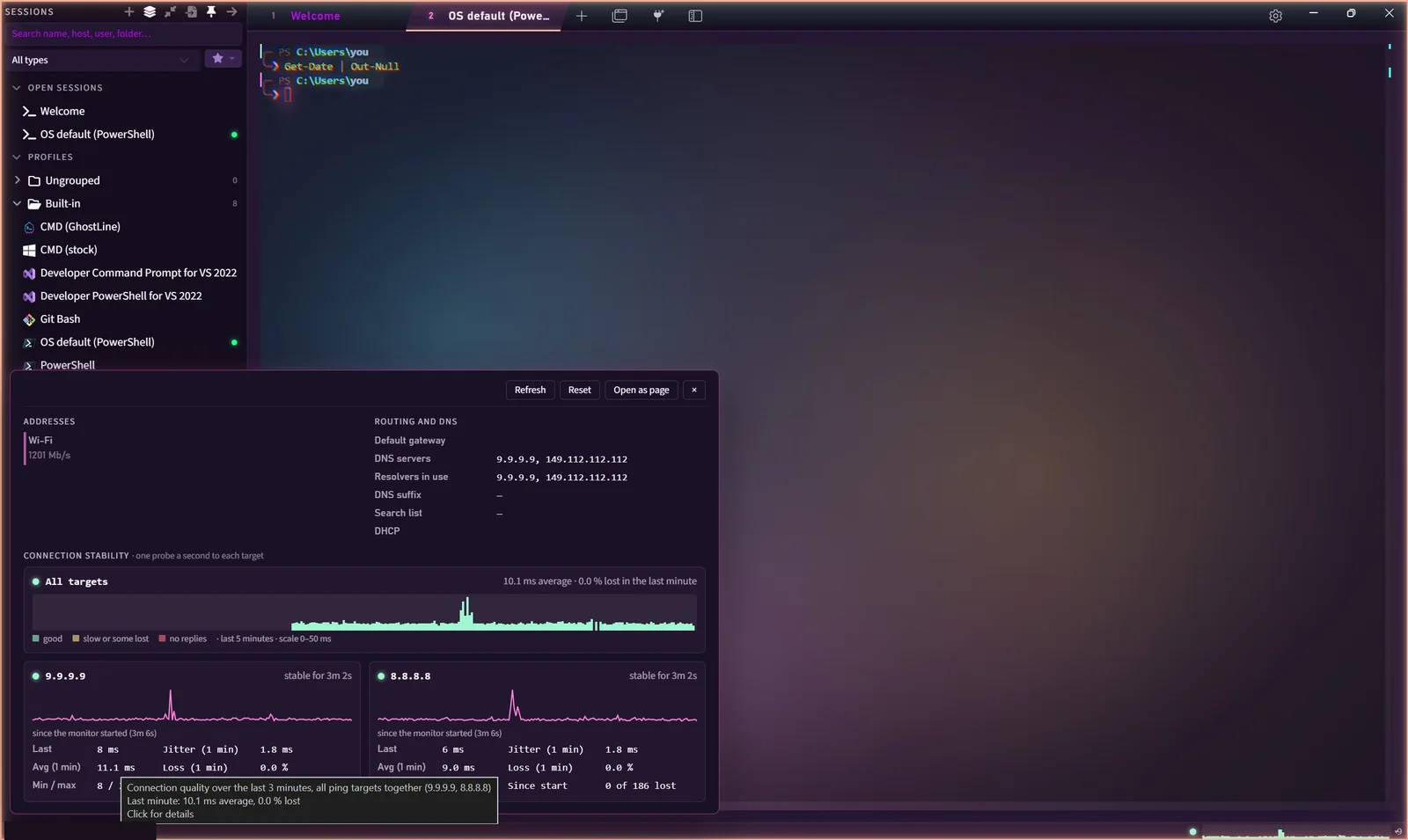
Along the bottom of the window: hostname, IPv4 and one connection-quality graph for every ping target together, over the last three minutes. Click it for adapters, gateway, DNS, DHCP and per-target latency, jitter, loss and an outage log. The toolbox has the rest.
- last
- –
- avg
- –
- jitter
- –
- loss
- –
- Ping
- Several targets at once, with sparklines · slow or some lost: any loss, or over 150 ms · no replies: every probe lost
- Jitter
- Mean difference between consecutive round trips · outages: 3 or more lost probes in a row
- Trace, resolve
- Traceroute · DNS lookups
- TLS
- Certificate chain and the negotiated key exchange
- Ports
- Port check with banners · a scanner that asks for consent, checks private ranges and rate-limits itself
- Processes
- Connections with their owning processes
- Wake-on-LAN
- 6 × FF, then the MAC 16 times: 102 bytes
- Lab servers
- HTTP and TFTP (RFC 1350, 2347, 2348, 2349), bound to this computer until you allow others
08 Session tools
See err-disabled before you finish reading the line.
Keyword highlighting comes with triggers and with ready-made packs for Cisco IOS, Junos, Linux logs, web access logs and Kubernetes, each tested span by span against sample output.
%LINEPROTO-5-UPDOWN: Line protocol on Interface GigabitEthernet0/1, changed state to down
%LINK-3-UPDOWN: Interface GigabitEthernet0/1, changed state to up
%PM-4-ERR_DISABLE: bpduguard error detected on Gi0/2, putting Gi0/2 in err-disable state
%SYS-5-CONFIG_I: Configured from console by admin on vty0 (192.0.2.15)
sw1#show interfaces Gi0/2
GigabitEthernet0/2 is down, line protocol is down (err-disabled)- Broadcast
- Input to the pane, the tab or every terminal · Ctrl+Shift+M
- Mark mode
- Ctrl+Shift+K: arrows or hjkl, Shift or v selects, Enter copies
- Switching
- Ctrl+Tab: recent tabs with thumbnails · Ctrl+Shift+J: tab and pane search
- Scripts
- JavaScript in a sandboxed worker with declared permissions · a macro recorder that skips password prompts
- Logs
- Plain with timestamps, raw, or encrypted .gslog
- Also
- Button bars and a Command Manager · scratchpad that sends line by line · hex view of a session's bytes · printing with pass-through (CSI 5i / 4i)
09 What ships
What ships in 0.2.0
GHOSTSHELL's own layer, on top of the Tabby base. The full status, partial and unbuilt features included, ships with the app as resources\docs\IMPLEMENTATION-STATUS.md in the install folder.
- Shells
- Discovery: every installed shell, newest stable PowerShell first
- PowerShell: exit-code marks, Tab completion; $PROFILE untouched
- Paste safety: asks first:
rm -rf /,curl | sh, escapes, hidden text - OSC: 9;4 progress on the tab; 9 and 777 as notifications
- Connections
- SSH: mlkem768x25519-sha256 first; Terrapin strict KEX
- VNC: embedded, RFB 3.3, 3.7 and 3.8, labeled unencrypted
- X11: finds and starts VcXsrv, Xming or X410 for SSH
- HUD: CPU, memory, disk, network; tested on recorded output
- Session manager
- Session tree: folders, search, drag and drop, prod/staging strips
- Connect many: a folder or a selection as tabs, tiled or one by one
- Import: SecureCRT, MobaXterm, PuTTY, WinSCP, Windows Terminal, CSV
- Passwords: never imported
- Tab switcher: Ctrl+Tab with thumbnails; Ctrl+Shift+J to search
- GhostLine
- Overlay: edits the line for cmd.exe; nothing is injected
- Completion: Tab, from 17 tool grammars, git branches, npm scripts
- Suggestions: history as ghost text, this folder's first
- Highlighting: commands, flags, strings, variables and operators
- History: Ctrl+R search, kept between sessions
- Aliases: doskey syntax, expanded by GhostLine
- GhostVault
- Secrets: passwords and key passphrases: Argon2id, AES-256-GCM
- Config: the whole config.yaml, if you choose
- Recovery: kits and escrow keys: ML-KEM-1024 + P-384
- Sharing: encrypted bundles, signed with ML-DSA-87 + P-384
- Toolbox
- Host bar: hostname, IPv4 and one graph for all ping targets
- Network: ping, traceroute, DNS, TLS, ports, Wake-on-LAN
- Lab servers: HTTP and TFTP, bound to this computer by default
- Keywords: highlighting rules, triggers and five ready-made packs
- Session tools: broadcast, button bars, logs, scripts, macro recorder
- NEON GRID and GhostFX
- Packs: 61, switched live or picked on the welcome tab
- Neon edge: drifts through the pack's accents, never through grey
- GhostFX: bloom, scanlines, chromatic aberration, vignette, grain
- Ambient: six scenes behind the text, from mist to skyline
- Events: connect, disconnect, bell, long runs, non-zero exits
- Limits: off at Focus or reduced motion; paused on battery